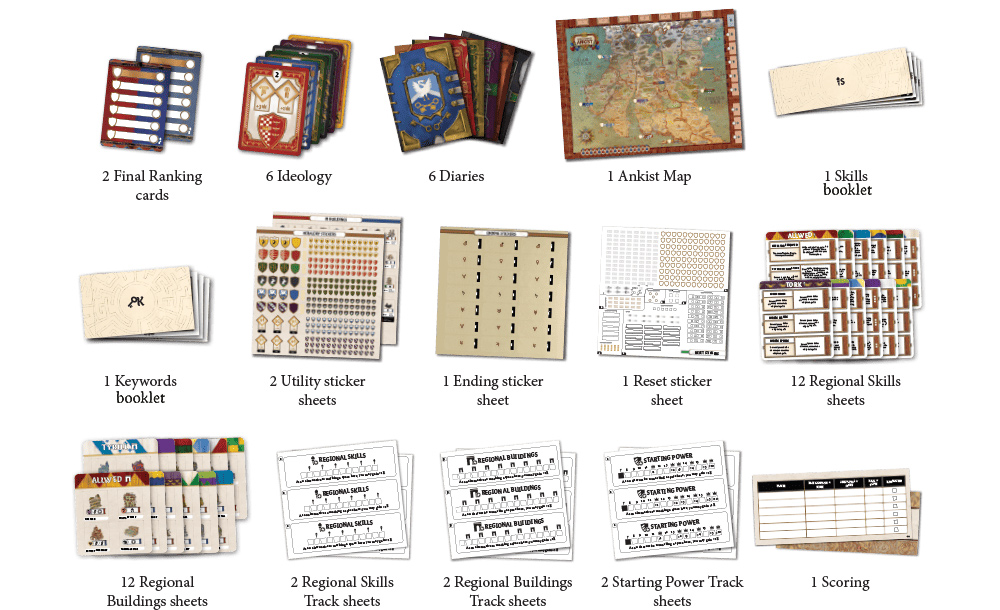
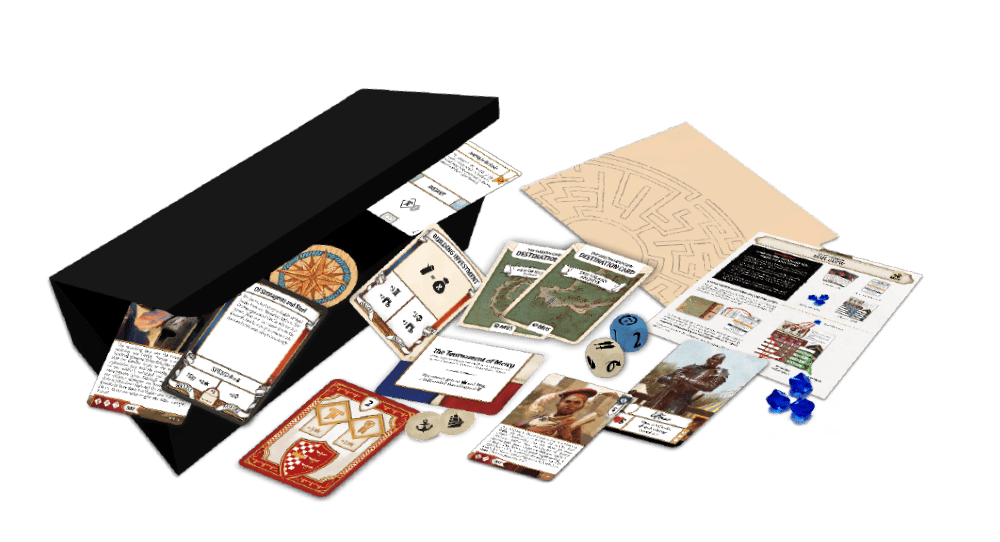
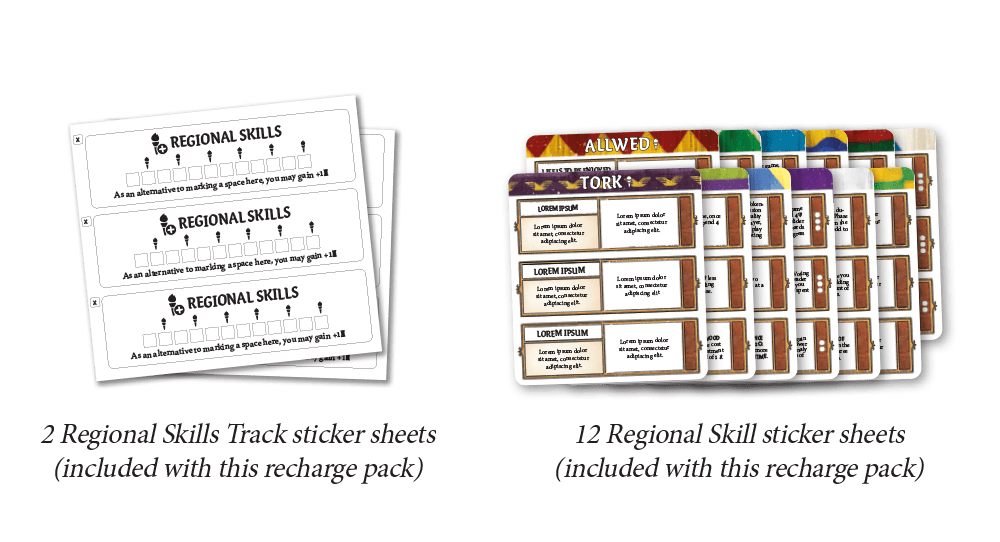
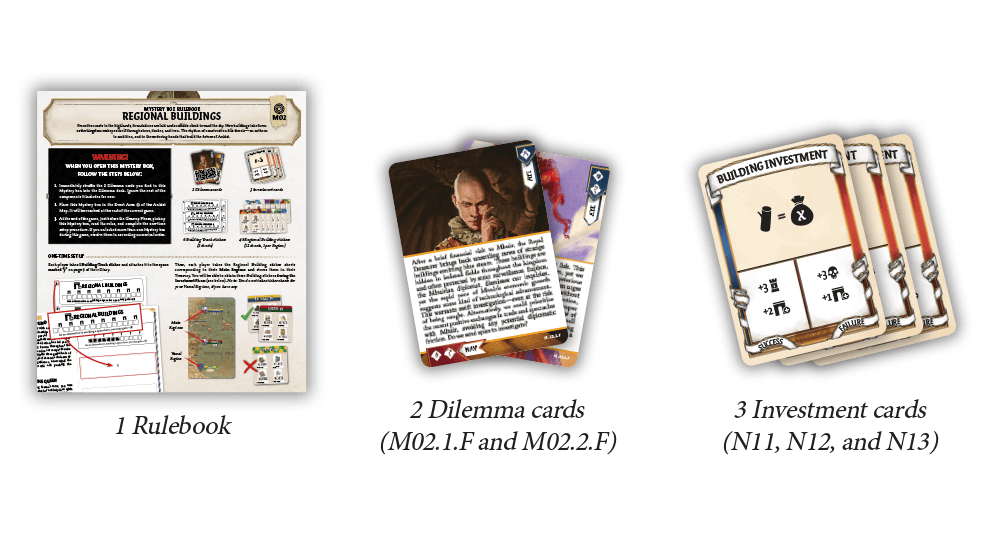
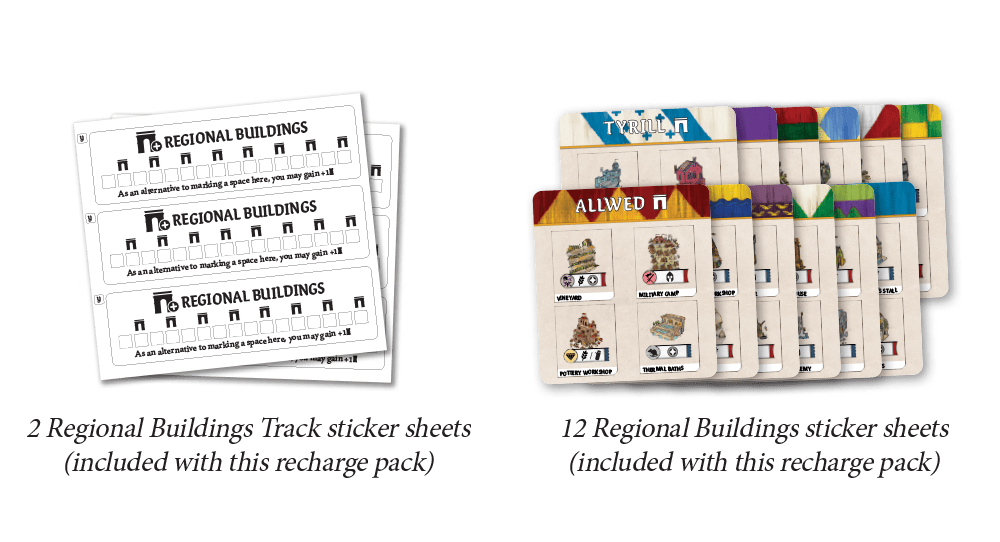
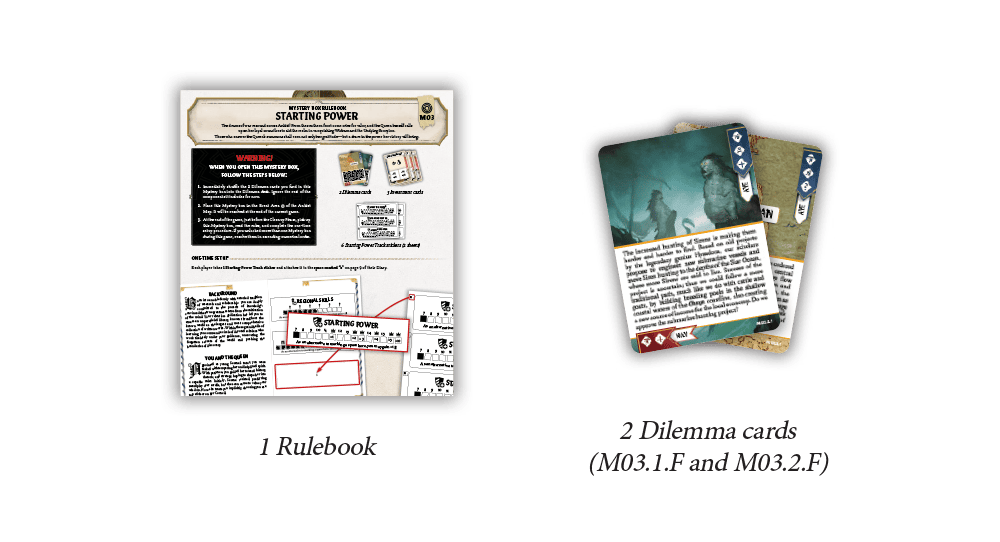
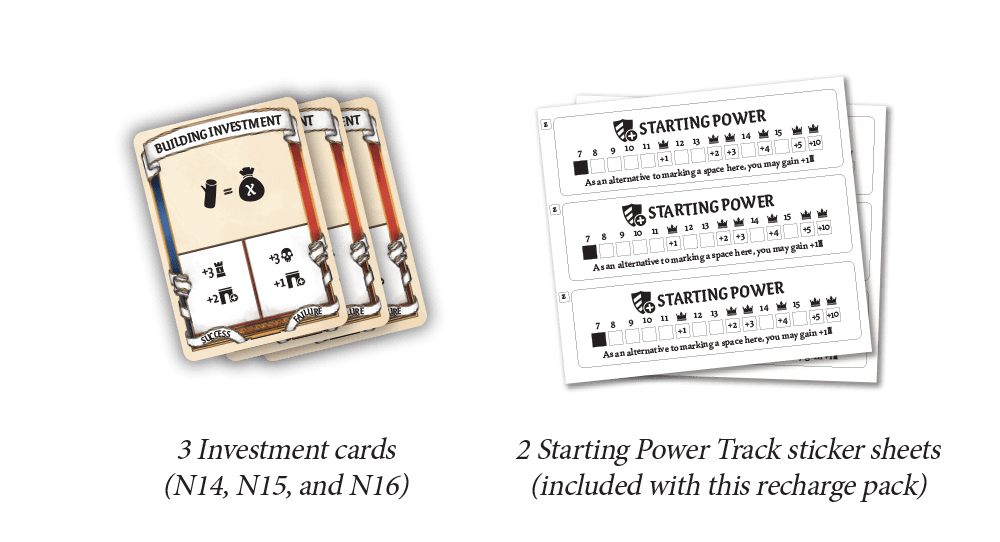
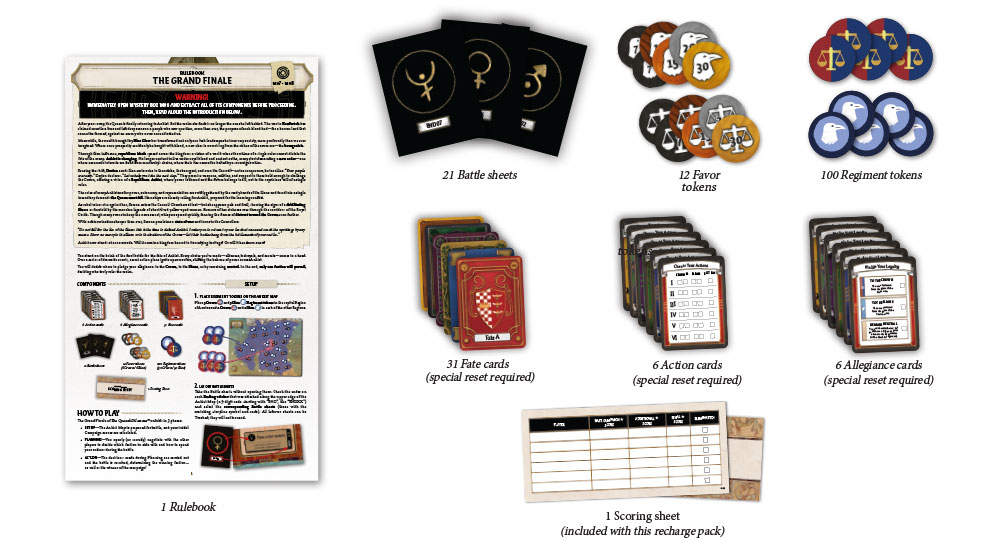
The Queen’s Dilemma™ Recharge Pack provides all the components required to reset your copy of the game and begin a new campaign. It allows you to replay the full game either with the same group of players or with a completely new group.
Contents
HOW TO USE THE RECHARGE PACK
Components to Replace Entirely
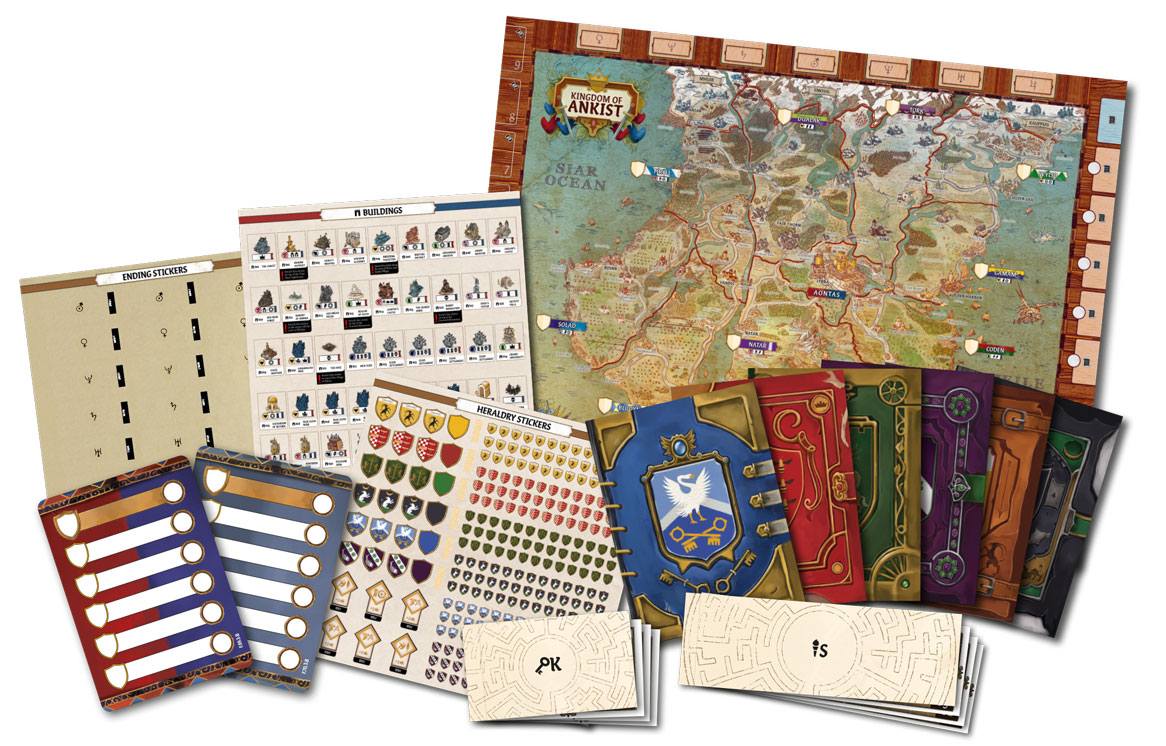
Use the brand new components provided in this recharge pack to replace the Ankist Map, Skills booklet, Keywords booklet, Utility sticker sheets, Ending sticker sheet, and Diaries used during your The Queen’s Dilemma™ campaign. Also, replace the Final Ranking card you used at the end of the previous campaign (either F.69.3.F or F.70.3.F) with the brand new card.
Recovering Trashed Components
Before you can proceed with resetting your copy of The Queen’s Dilemma™ , you need to retrieve all the components you Trashed during your previous campaign. Open the Trash box, take out all the components inside, and sort them by type (Dilemma cards, Agenda cards, Chronicle cards, and Investment cards, as well as all the components from Mystery boxes).
Then, follow the steps below to reset the components that were altered and restore the box to its initial state, putting every single component back in its place so that you are ready to begin a new campaign.
Resetting Ideology Cards
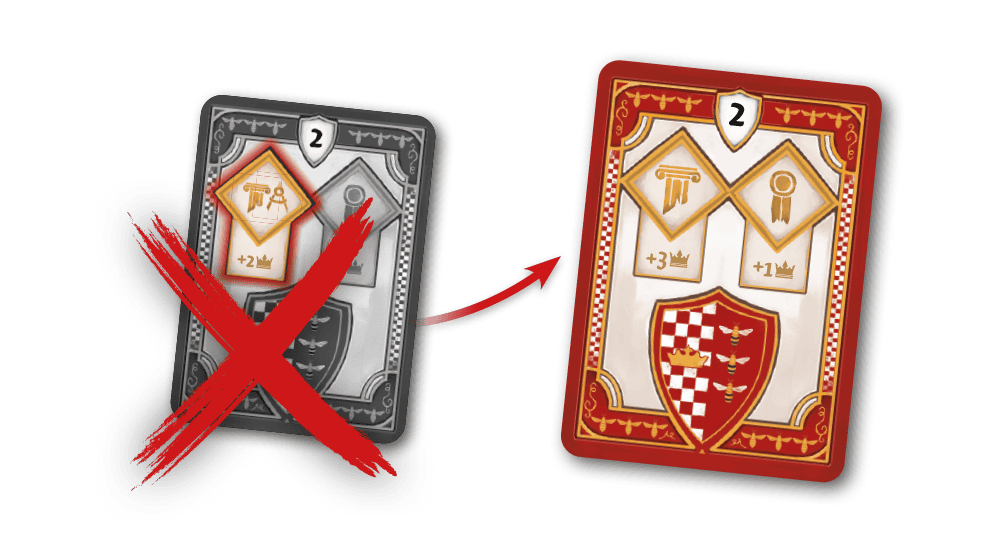
Take the sets of Ideology cards corresponding to each character. Check whether the card marked with the number 2 has been modified with a sticker and, if so, replace it with the corresponding brand-new replacement card included in this box.
The modified cards from the previous campaign can be discarded; they won’t be needed during the new one. Then, return the sets of Ideologycards to the Treasury box of the matching characters.
Resetting Dilemma Cards and Envelopes
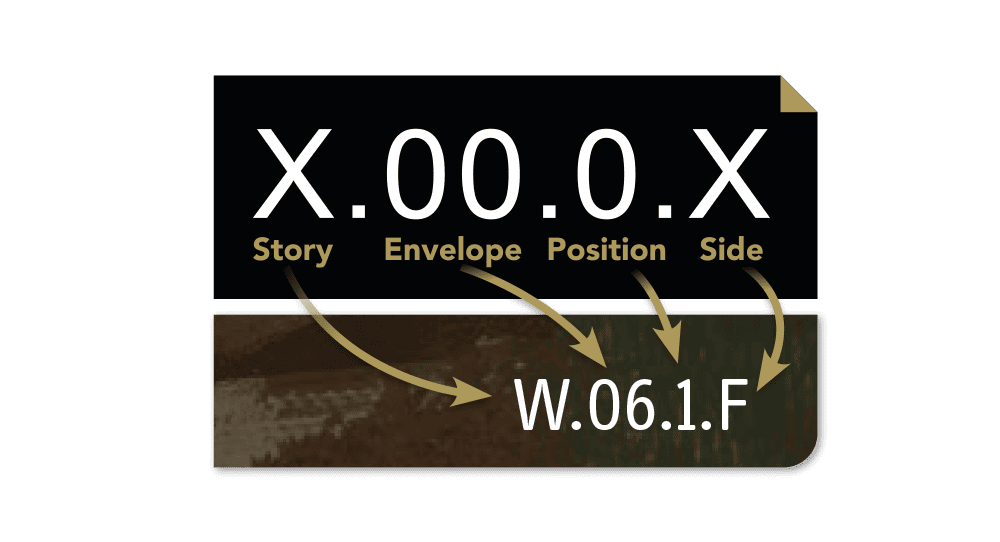
How to Interpret Card Codes Each Story/Dilemma card in The Queen’s Dilemma™ is marked with a unique code, shown on the front in the lower right corner or on the back in the center-right section. Each code is structured as follows:
Story: Indicates the story to which the card belongs; this part can be ignored when resetting the game.
Envelope: Indicates the Envelope number to which the card belongs.
Position: Indicates the card’s position within the Envelope, represented by a number from 0 to 3.
Side: Indicates whether the card side is front (F) or back (B).
To reset the cards and envelopes of The Queen’s Dilemma™, you have to follow these steps:
Group cards by envelope number Take all the cards used during your The Queen’s Dilemma™ campaign. Check the codes on all the cards and group them in piles by matching the Envelope part of the code.
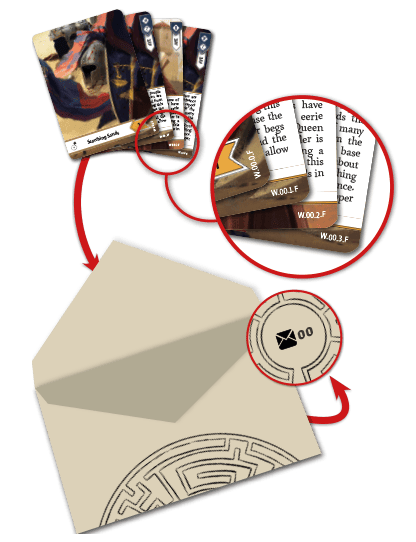
Resetting Envelopes To reset the envelopes, check the Side part of the code to ensure all cards are facing the front (F) side. Then, check the Position part of the code and arrange the cards in ascending order with 0 as the first and 3 as the last. Finally, take all the envelopes opened during your The Queen’s Dilemma™ campaign; check the Envelope part of the code of each pile of cards and insert them into the envelope with the matching number, keeping the cards in their order.
Mystery Box Dilemma Cards At this point, you should still have 11 Dilemma cards left. These are the Dilemma cards that were contained in the Mystery boxes. Set them aside for now. You will find the full instructions to restore the Mystery boxes at a later step in this procedure.
Age of Disorder Dilemma Cards (Optional)
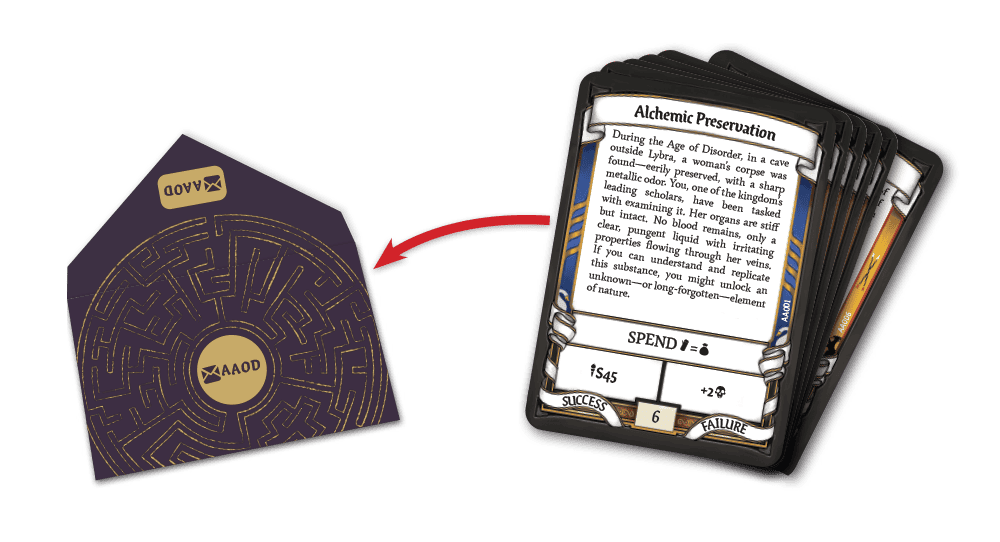
If you used the Age of Disorder contents (see the base game rulebook), you also need to take cards DAOD.00.F, DAOD.01.F, DAOD.02.F, and DAOD.03.F and place them back into the DAODenvelope in ascending order, with DAOD.00.F as the first and DAOD.03.F as the last.
Resetting Chronicle Cards
Take all the Chronicle cards from the game, both those retrieved from the Trash and those unused that remained in the Chronicle deck at the end of your previous campaign.
Most Chronicle cards are marked with a code beginning with “C” followed by 3 digits. Place these cards into a single deck in ascending order, with C001 as the first. If you find cards with a different code format, set them aside for now.
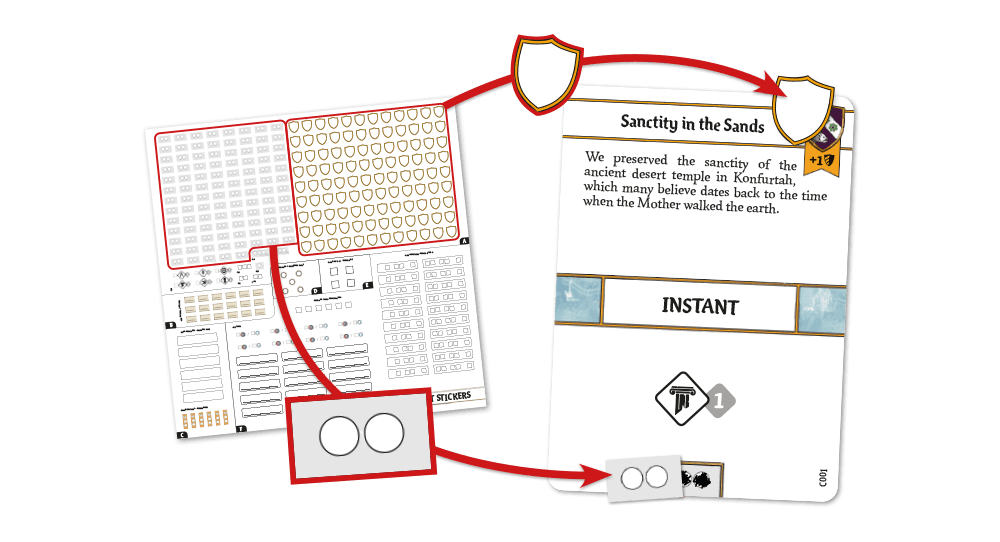
Once you have reordered the deck, use the stickers found in section A of the Reset sticker sheet to restore the Herald space and Duration Track on each card, if needed, by using the corresponding reset stickers (see figure). Note that some Chronicle cards have a character’s Heraldry symbol pre-printed on them. Be careful not to reset these Heraldry spaces.
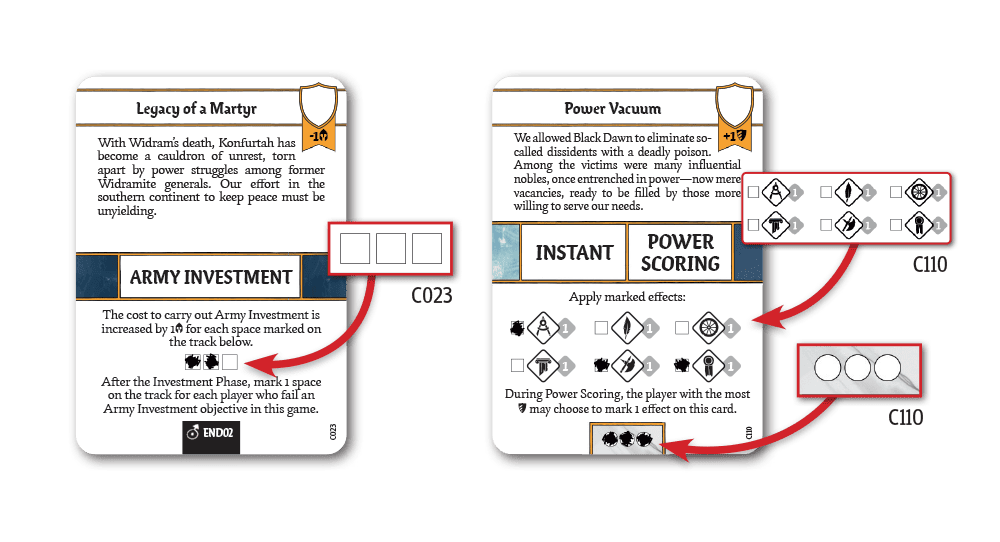
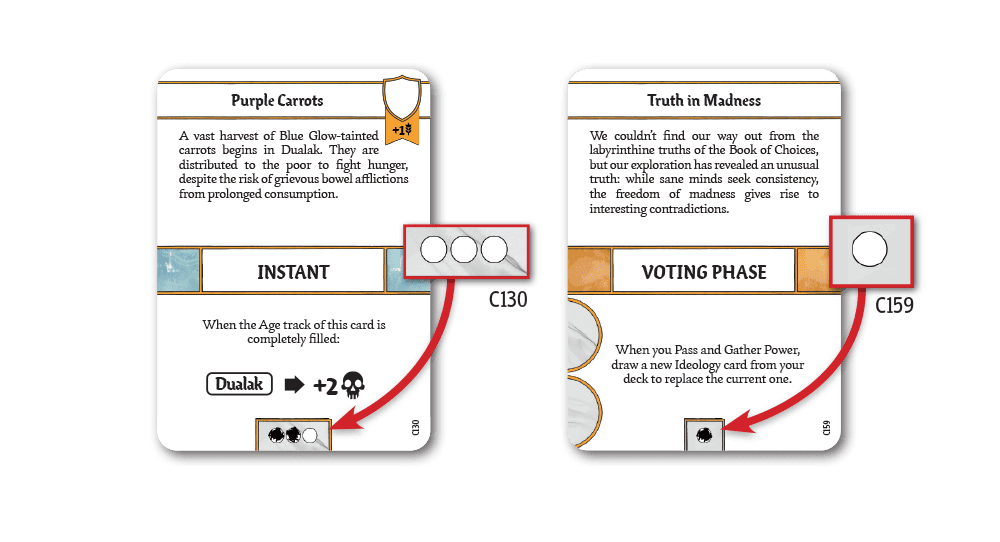
You only need these two stickers to restore most cards. However, some more complex cards require specific stickers, indicated on the Reset sticker sheet with the corresponding card code. The cards that require a special reset procedure are: C023, C110, C130, and C159.
Age of Disorder Chronicle Cards (Optional)
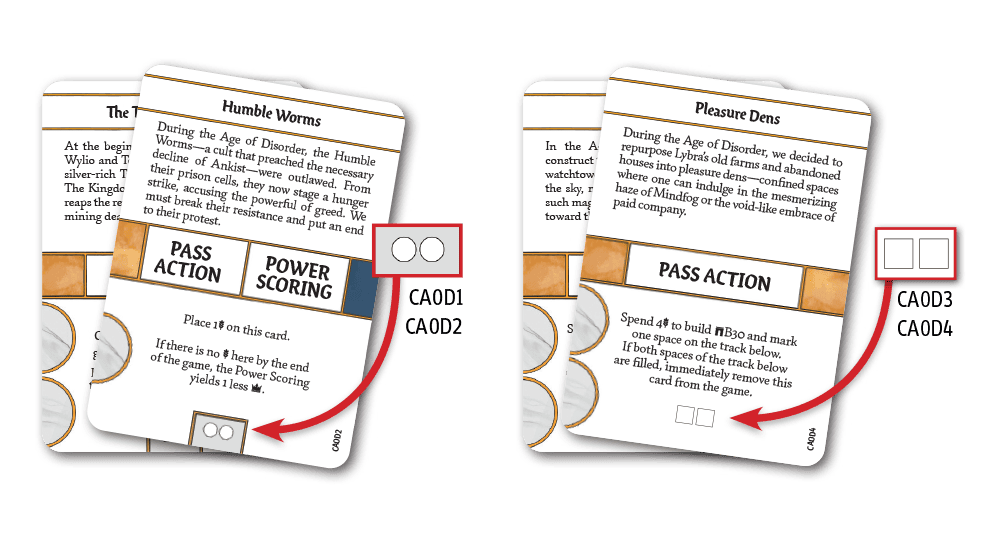
If you used the Age of Disorder contents (see the base game rulebook), you also need to take the leftover Chronicle cards, with codes CAOD1 through CAOD4, and reset them as described above (cards CAOD3 and CAOD4 also require a special reset procedure). When you are done, place these Chronicle cards back into the CAOD envelope in ascending order, with CAOD1 as the first and CAOD4 as the last.
Resetting Agenda Cards
Take all the Agenda cards from the game, both those retrieved from the Trash and those unused that remained in the Agenda deck at the end of your previous campaign. Most Agenda cards are marked with a code beginning with “A” followed by 3 digits. Place these cards into a single deck in ascending order, with A001 as the first. Cards marked with the ∞ symbol must be placed at the bottom of the deck, in any order. If you find cards with a different code format, set them aside for now.
Once you have reordered the deck, use the stickers found in section B of the Reset sticker sheet to restore the Time Limit space (see figure) on the following cards, if needed: A001 through A016, A037, and A126.
Age of Disorder Agenda Cards (Optional)
If you used the Age of Disorder contents (see the base game rulebook), you also need to take the leftover Agenda cards, with codes AAOD1 through AAOD6, and place them back into the AAOD envelope in ascending order, with AAOD1 as the first and AAOD6 as the last.
Resetting Investment Cards
Take all the Investment cards from the game, both those retrieved from the Trash and those that were stored in the main game box at the end of your previous campaign.
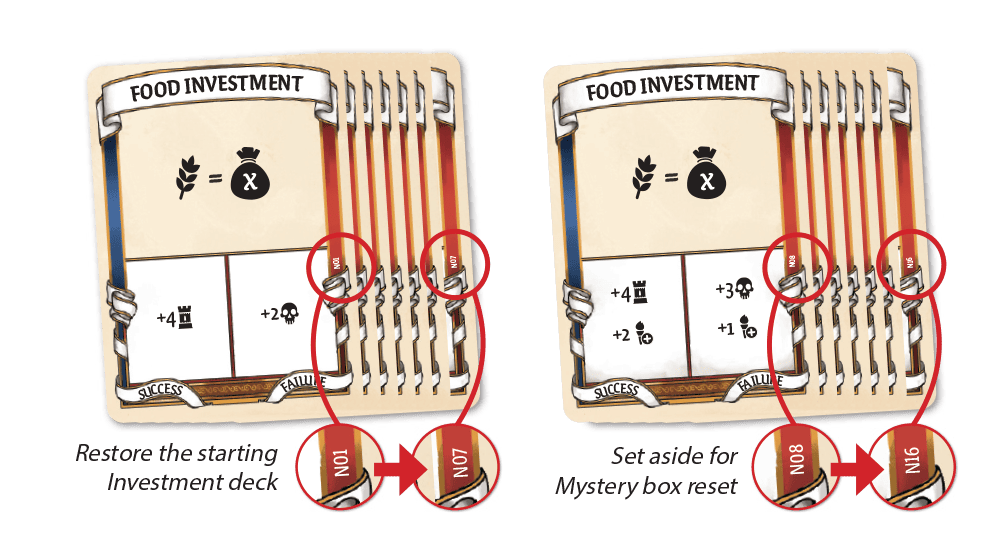
These cards are marked with codes N01 through N16.
Take cards N01 through N07 and restore the starting deck of Investment cards. Cards N08 through N16 were contained in the Mystery boxes. Set them aside for now. You will find the full instructions to restore the Mystery boxes in the next step of this procedure.
Resetting Mystery Boxes
Mystery Box M01
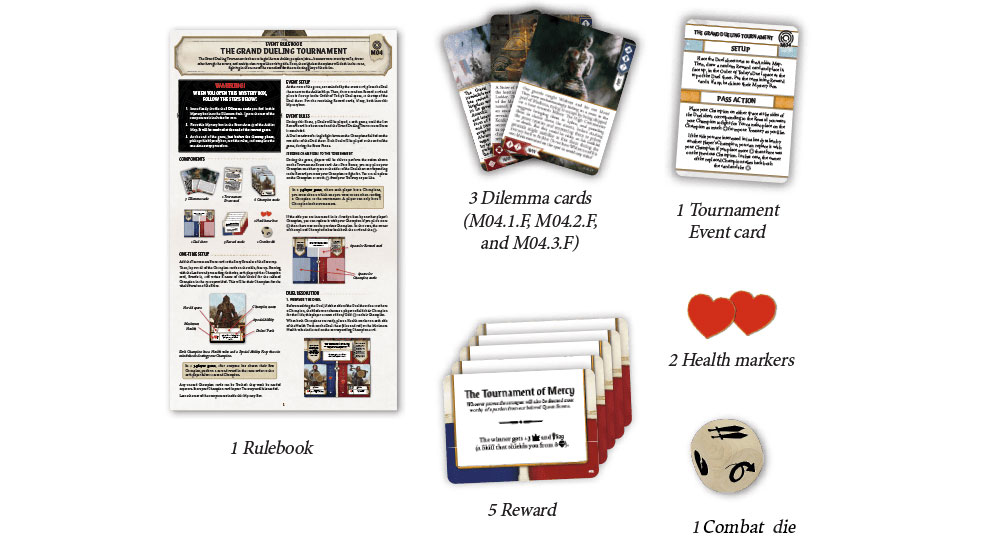
These are the components that need to be put inside Mystery box M01:
Mystery Box M02
These are the components that need to be put inside Mystery box M02:
Mystery Box M03
These are the components that need to be put inside Mystery box M03:
Mystery Box M04
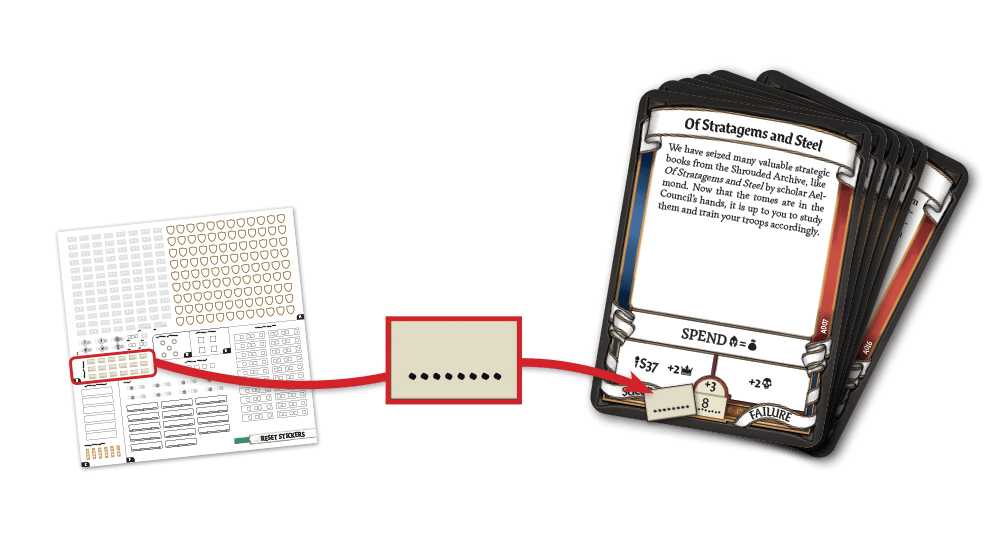
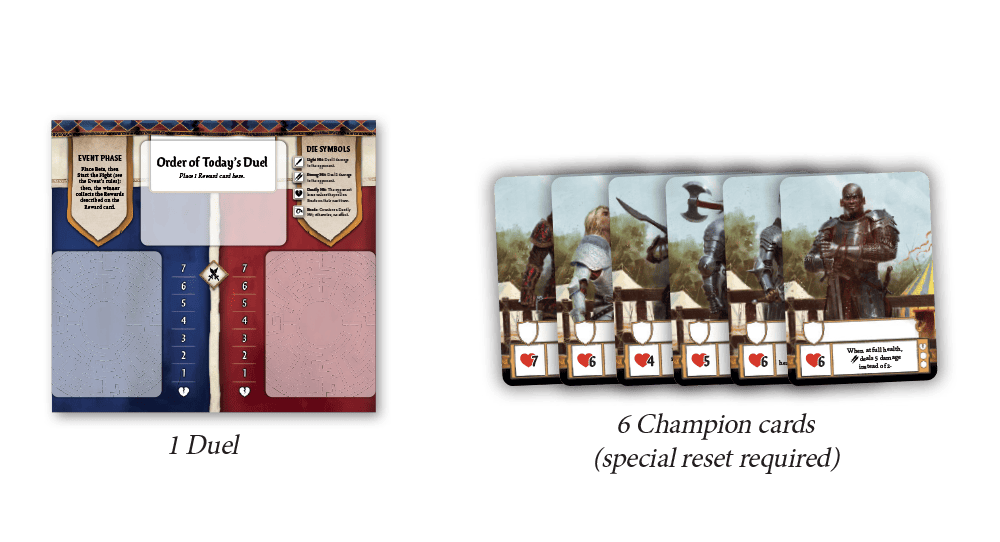
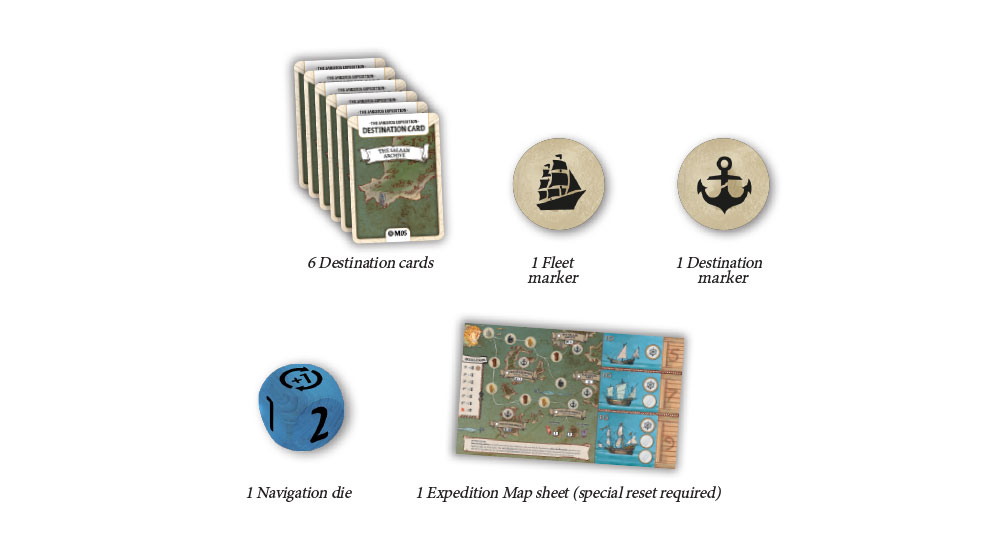
These are the components that need to be put inside Mystery box M04. Note that some of them will require a special reset procedure.
Resetting Champion Cards
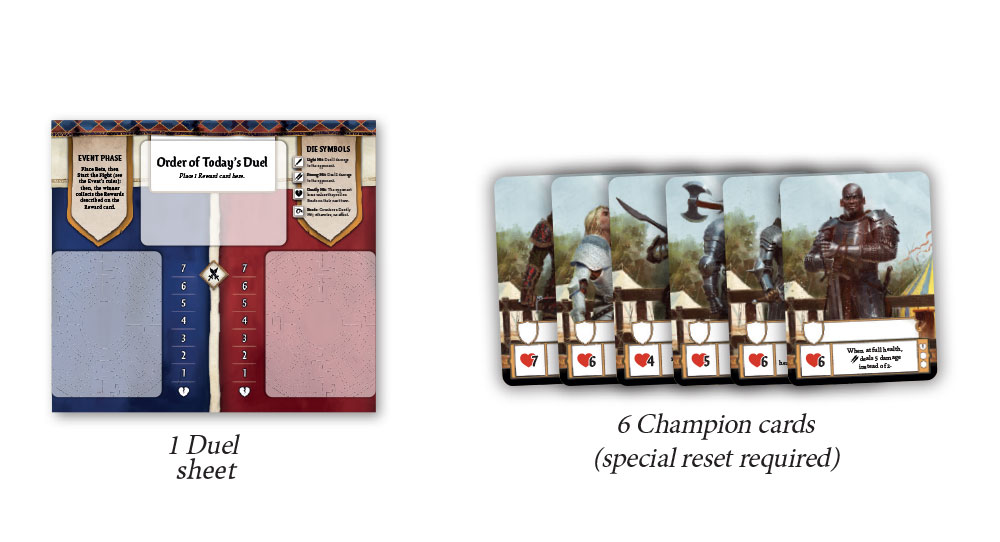
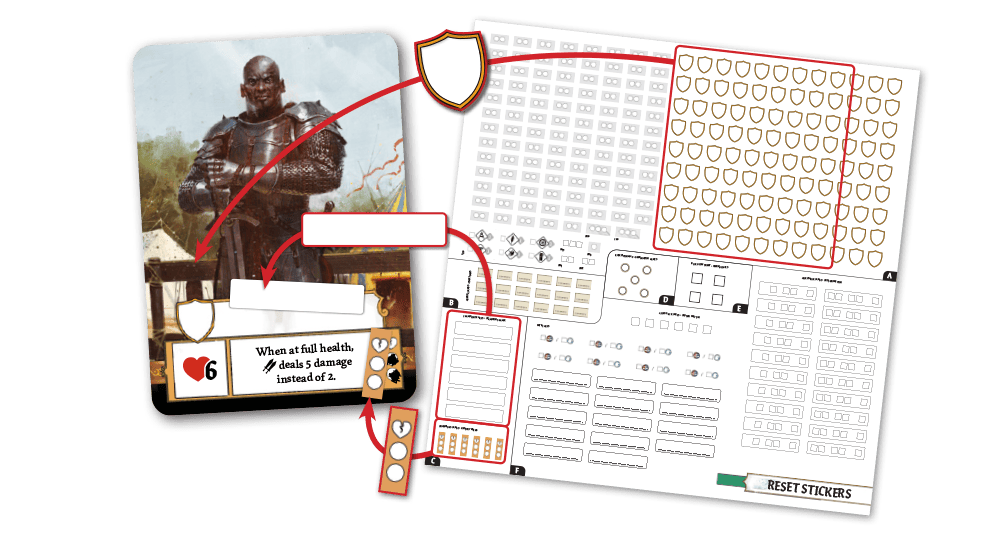
Use the stickers found in section C of the Reset sticker sheet to restore the Champion Name space and Health Track and those found in section A to restore the Herald space on each card, if needed, by using the corresponding reset stickers (see figure).
Mystery Box M05
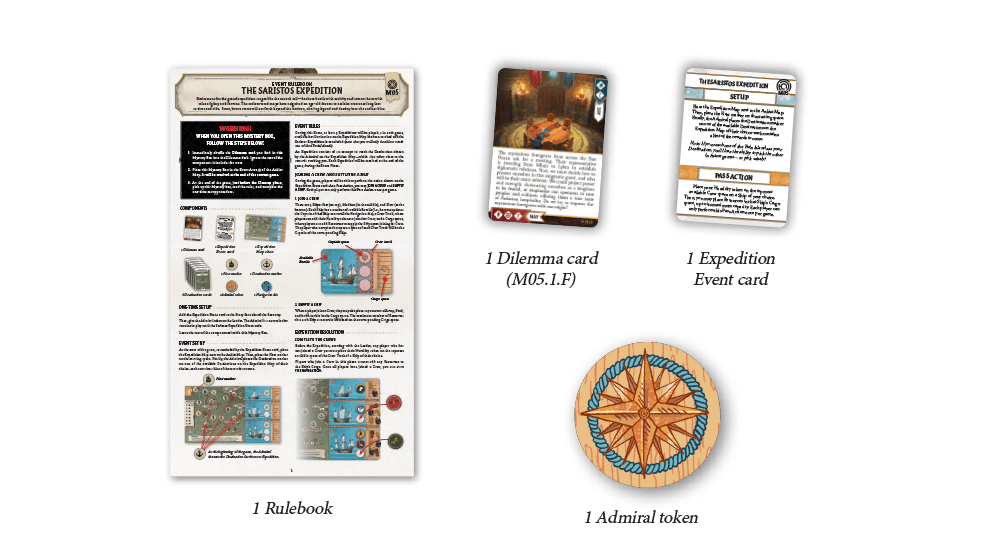
These are the components that need to be put inside Mystery box M05. Note that some of them will require a special reset procedure.
Resetting the Expedition Map Sheet
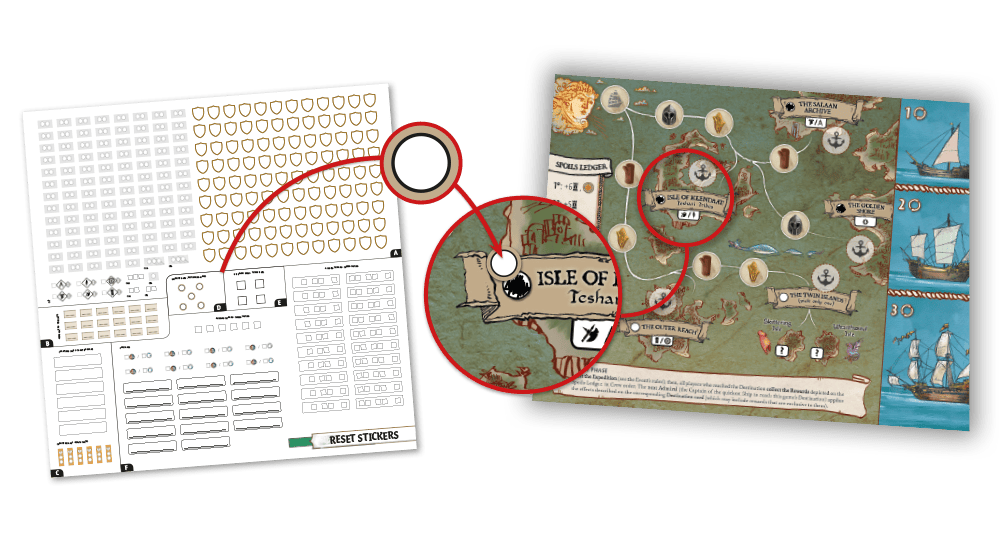
Use the stickers found in section D of the Reset sticker sheet to restore the Destination spaces on the map, if needed, by using the corresponding reset stickers (see figure).
Mystery Box M06
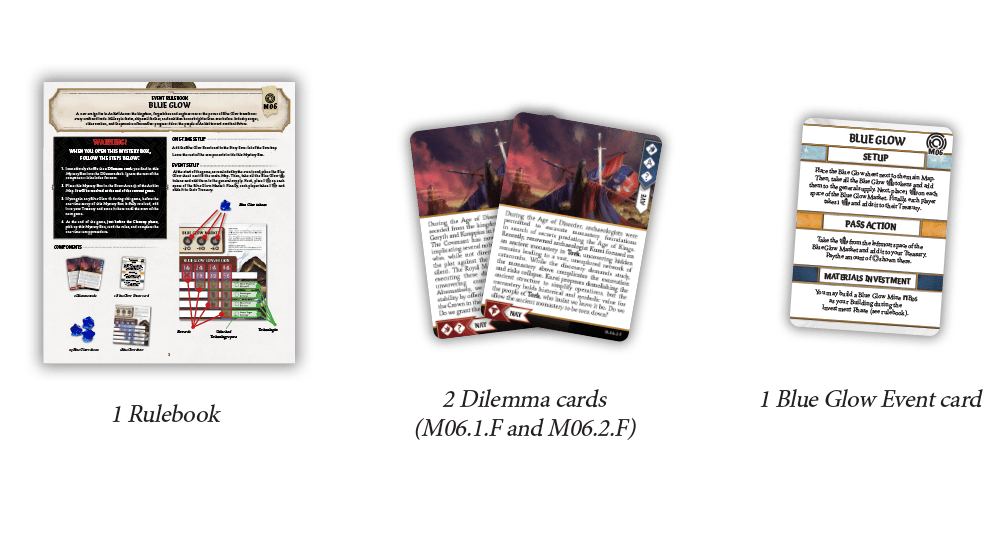
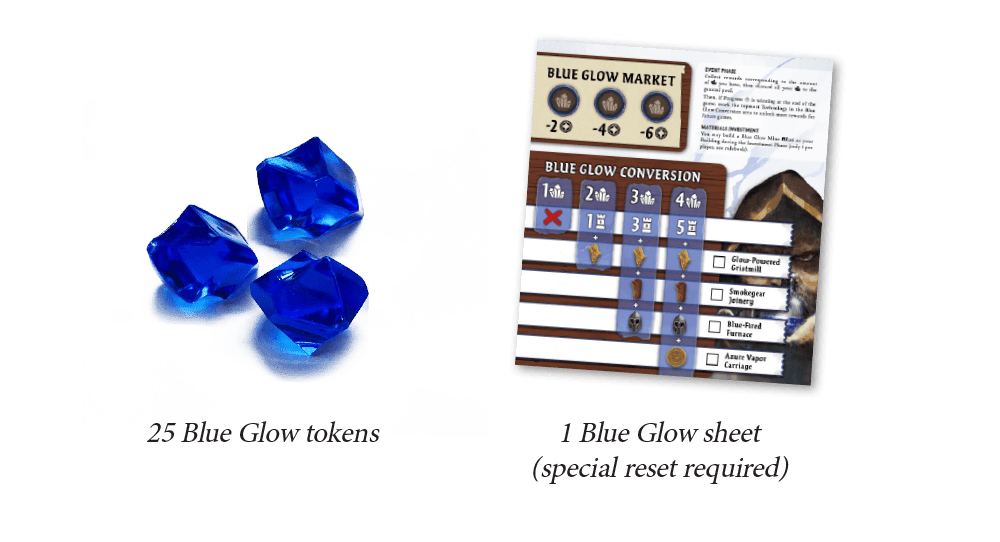
These are the components that need to be put inside Mystery box M06. Note that some of them will require a special reset procedure.
Resetting the Blue Glow Sheet
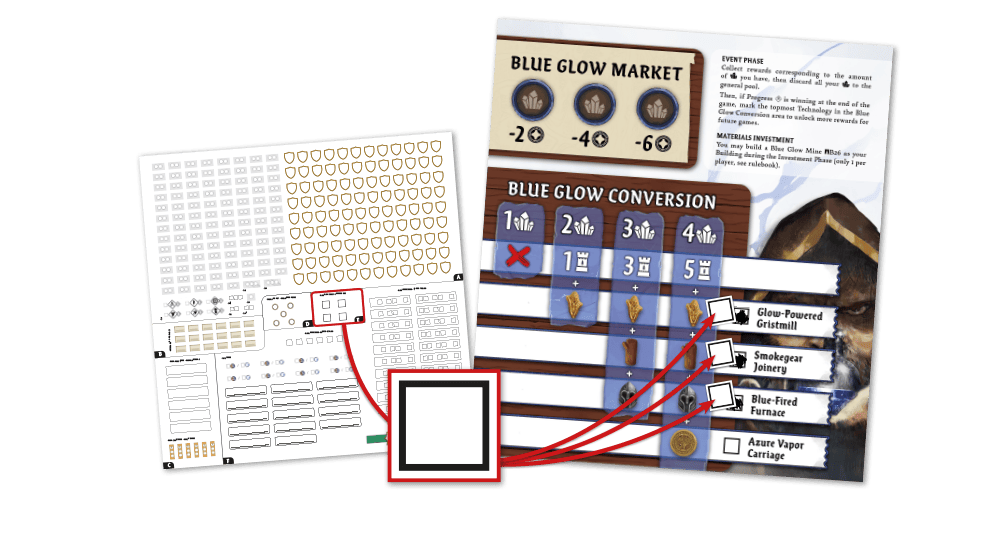
Use the stickers found in section E of the Reset sticker sheet to restore the unlocked Technology spaces of the sheet, if needed, by using the corresponding reset stickers (see figure).
Mystery Boxes M07 and M08
These are the components that need to be put inside Mystery boxes M07 and M08. Note that some of them will require a special reset procedure (see below).
Component to Replace Entirely
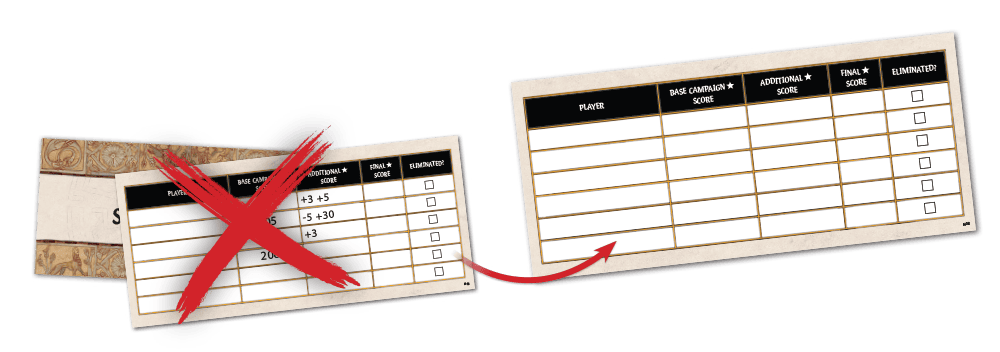
Use the Scoring sheet included with this box instead of the one you used for your previous campaign to record the results of the final event in your new campaign.
Resetting Allegiance Cards
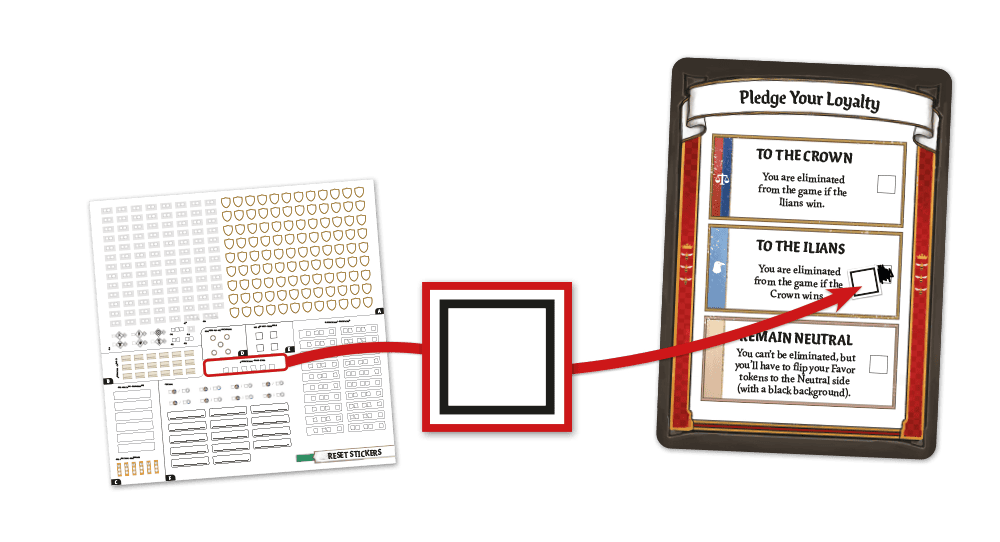
Use the stickers found in section F of the Reset sticker sheet to restore the Allegiance space on each card, if needed, by using the corresponding reset stickers (see figure).
Resetting Action Cards
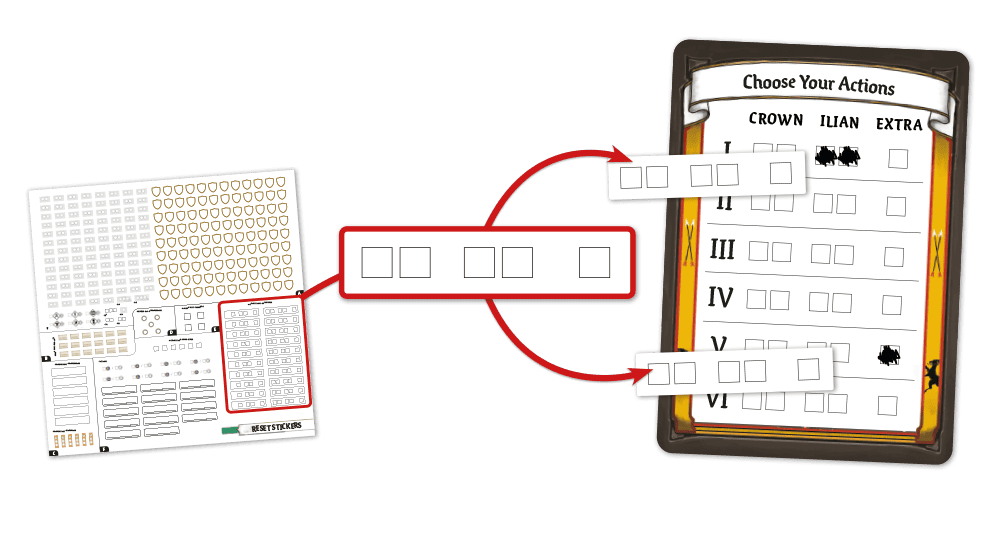
Use the stickers found in section F of the Reset sticker sheet to restore the Action spaces on each card, if needed, by using the corresponding reset stickers; 1 sticker corresponds to a full row of Action spaces; only use as many as are needed to restore all previously used Action spaces (see figure).
If a row of Action spaces has no marked spaces in it, you don’t need to reset it with a sticker.
Resetting Fate Cards
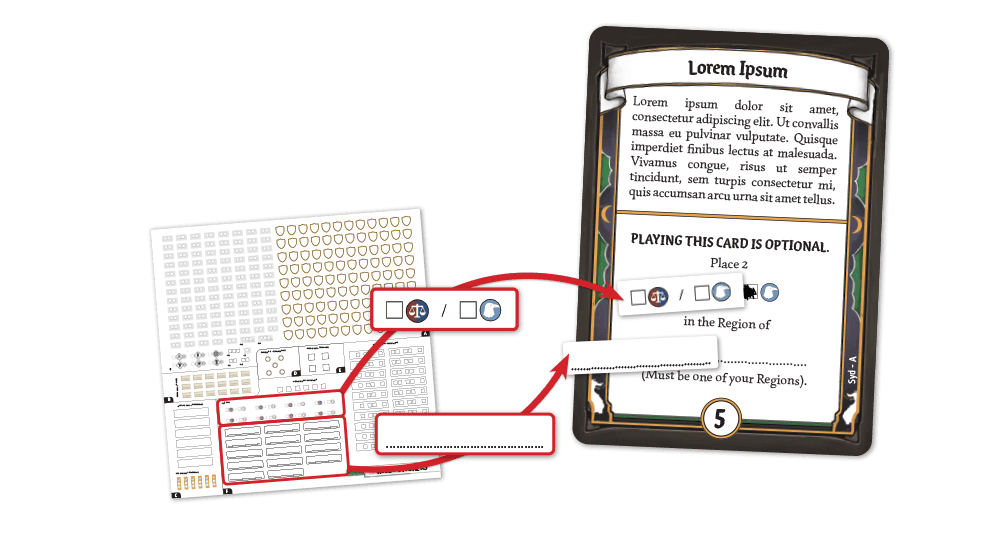
Sort the Fate cards by character and arrange each character’s cards in alphabetical order, starting with card A. Most cards did not require any alteration when used during your previous campaign, but in some cases the player had to write on them or mark checkboxes; use the stickers found in section F of the Reset sticker sheet to restore these cards, if needed, by using the corresponding reset stickers (see figure).
The cards that may need to be reset are those with the following codes:
Aesyas: A, C, D
Elinor: C, D
Jilian: B
Lyrie: B
Syd: A, B, C, D
Xanthe: B, D
Starting a New Campaign
Once you have performed all the steps described above, you are ready to begin your new campaign of The Queen’s Dilemma™.